Production-Ready DeepSeek-R1 Edge Computing Implementation
This comprehensive technical implementation demonstrates deploying DeepSeek-R1 advanced reasoning models locally using Ollama infrastructure management combined with ChatGPT-compatible Web interface. The architecture enables edge computing deployment on NVIDIA Jetson platforms ensuring complete privacy protection while maintaining production-ready performance characteristics for enterprise and research applications.
System Prerequisites and Technical Requirements
The deployment architecture requires specific system configurations to ensure optimal performance and compatibility across different computing environments.
- Python Runtime: Version 3.11 or higher for framework compatibility
- Package Management: Conda environment manager for dependency isolation
- System Privileges: Administrative access for system-level component installation
- Memory Requirements: Minimum 8GB RAM with 16GB+ recommended for optimal performance
- Operating System: Validated on Linux Ubuntu distributions with cross-platform compatibility
Technical Implementation Guide
1. Environment Configuration and Setup
Establish isolated development environment using Anaconda package management. For comprehensive environment management techniques refer to our essential conda methodologies guide:
conda create -n webui python=3.11 -y && conda activate webui
2. Ollama Infrastructure Installation
Ollama provides lightweight model server infrastructure for local AI model management and execution. Platform-specific installation procedures:
Linux Environment
curl -fsSL https://ollama.com/install.sh | sh

# Installation verification
ollama --version
macOS Platform
- Download latest package from Ollama macOS Distribution
- Mount downloaded .dmg installation package
- Deploy application to system Applications directory
- Initialize Ollama from Applications launcher
Windows Environment
- Acquire installer package from Ollama Windows Distribution
- Execute downloaded installation executable
- Complete installation wizard configuration
- Launch application from system Start menu
3. Open WebUI Interface Installation
Deploy web-based interface using open-webui framework for ChatGPT-compatible interaction:
pip install open-webui
4. DeepSeek Model Architecture Deployment
Select appropriate model configuration based on computational requirements and performance specifications:
# DeepSeek-R1-Distill-Qwen-1.5B (Optimal for edge computing)
ollama run deepseek-r1:1.5b
Additional Model Configurations Available:
# Standard DeepSeek-R1 Architecture
ollama run deepseek-r1:671b

# DeepSeek-R1-Distill-Qwen-7B (Balanced performance)
ollama run deepseek-r1:7b

# DeepSeek-R1-Distill-Llama-8B (Enhanced reasoning)
ollama run deepseek-r1:8b

# DeepSeek-R1-Distill-Qwen-14B (Advanced applications)
ollama run deepseek-r1:14b

# DeepSeek-R1-Distill-Qwen-32B (High-performance deployment)
ollama run deepseek-r1:32b

# DeepSeek-R1-Distill-Llama-70B (Enterprise-grade processing)
ollama run deepseek-r1:70b
5. Production System Launch
Initialize WebUI server for production deployment:
open-webui serve
6. System Access and Interface Navigation
- Launch web browser application
- Navigate to
http://localhost:8080endpoint
Production Demonstration
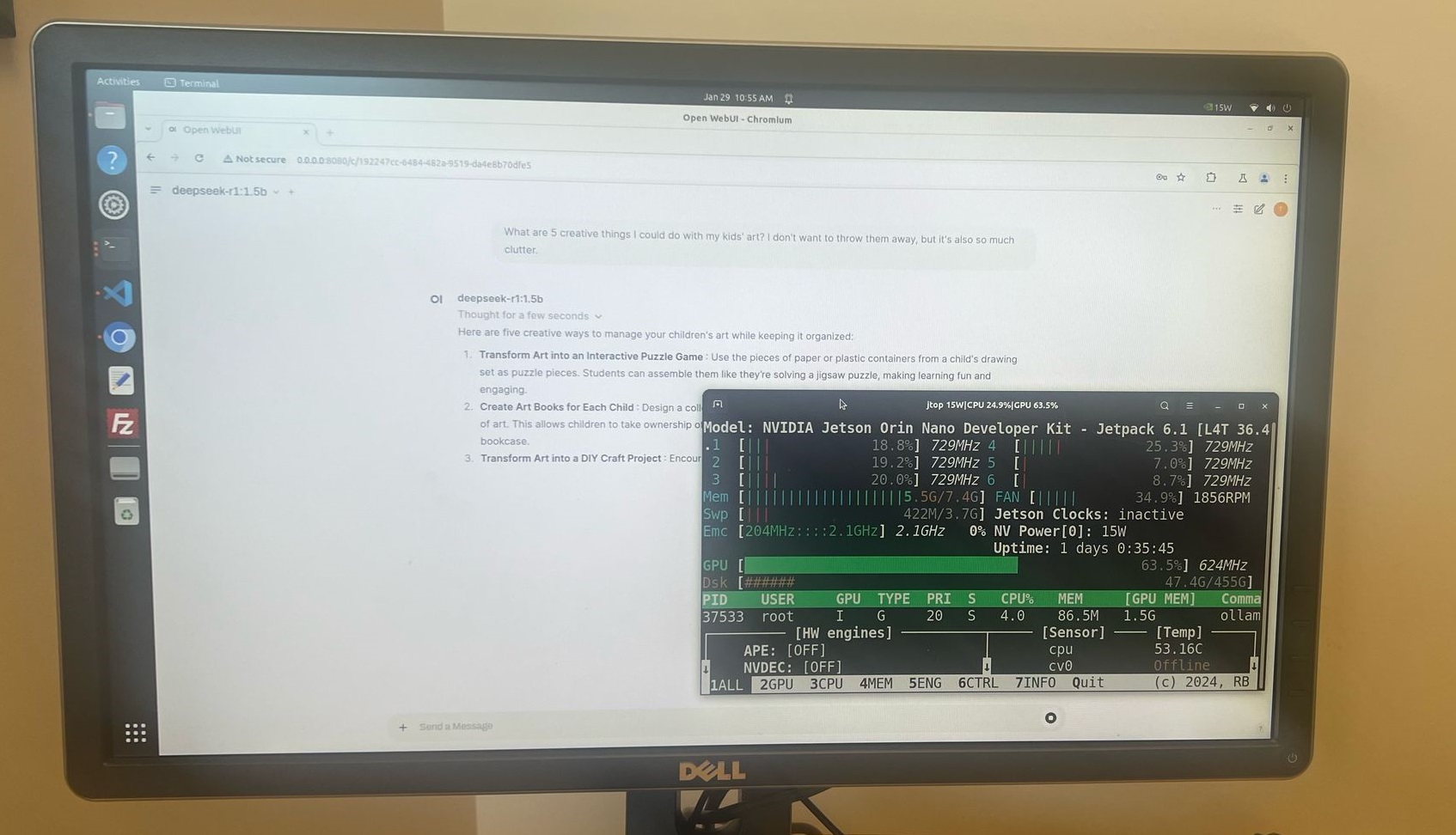
Following successful installation completion access the WebUI through browser interface and initiate interaction with DeepSeek-R1 reasoning capabilities for technical evaluation and production testing.
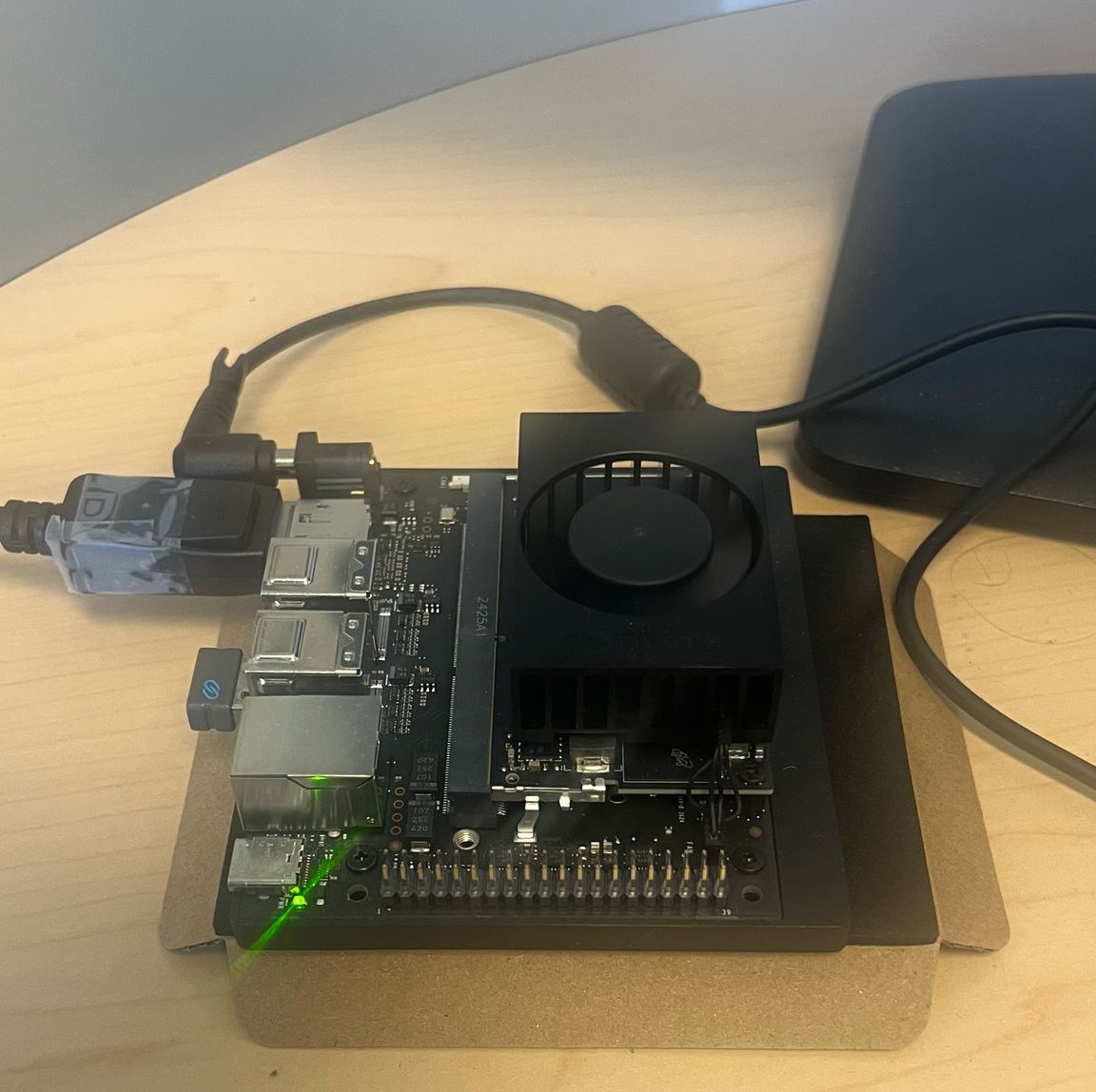
NVIDIA Jetson Nano Edge Computing Implementation
DeepSeek-R1 demonstrates exceptional performance on edge computing platforms including NVIDIA Jetson Nano utilizing only 8GB system memory. Testing validates smooth operational capability with 1.5B parameter model configuration ensuring production viability for embedded AI applications.